Fragment: Title with icon (PVGR)
This fragment provides a title with a choice of size and preceeded by a badge with an icon.
For page-designers
After having added this fragment to a page, you have the following configuration options (under TITLE-OPTIONS):
Icon (or Pictogram)
- go to https://fontawesome.com/icons
- search for and click on the icon of your choice.
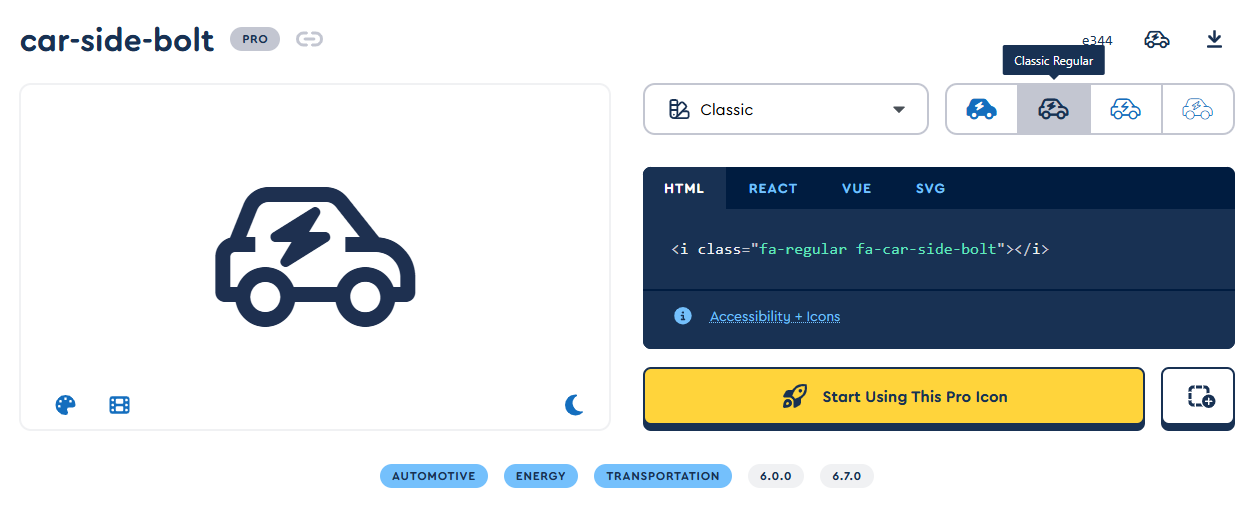
- this will open the properties which will look something like this:
- in the top-left corner, click on the name (in this example 'car-side-bolt'), this will copy the name to the clipboard.
- back in liferay, in the TITLE-OPTIONS, paste the name in the 'Icon' (or 'Pictogram') field.
Heading-size
- Two options are available: H2 and H3.
- in the TITLE-OPTIONS choose the desired size under 'heading-size'.
For content-editors
- Icon and headingsize can not be changed, this needs to be done by a page-designer.
- Only the title can be changed. To know how this is done, please read the KB article How to edit content.